01
Mission and Scope
Install each PoleGuard unit safely, aligned, and documented in under 3 hours per pole at this site.
Deck purpose:
- Standardize installer workflow across crews
- Reduce safety incidents and repeat visits
- Create audit-ready records for every install
02
Pre-Deployment Check
Assigned contractor: Not set | Area: Not set
Video: PoleGuard pre-deployment reference clip.
Site Readiness
- Pole IDs match work order and GPS pin
- Ground hazards flagged and mitigated within a 4 ft radius of the pole
- Traffic plan approved for lane-adjacent poles
Kit Validation and Equipment Check
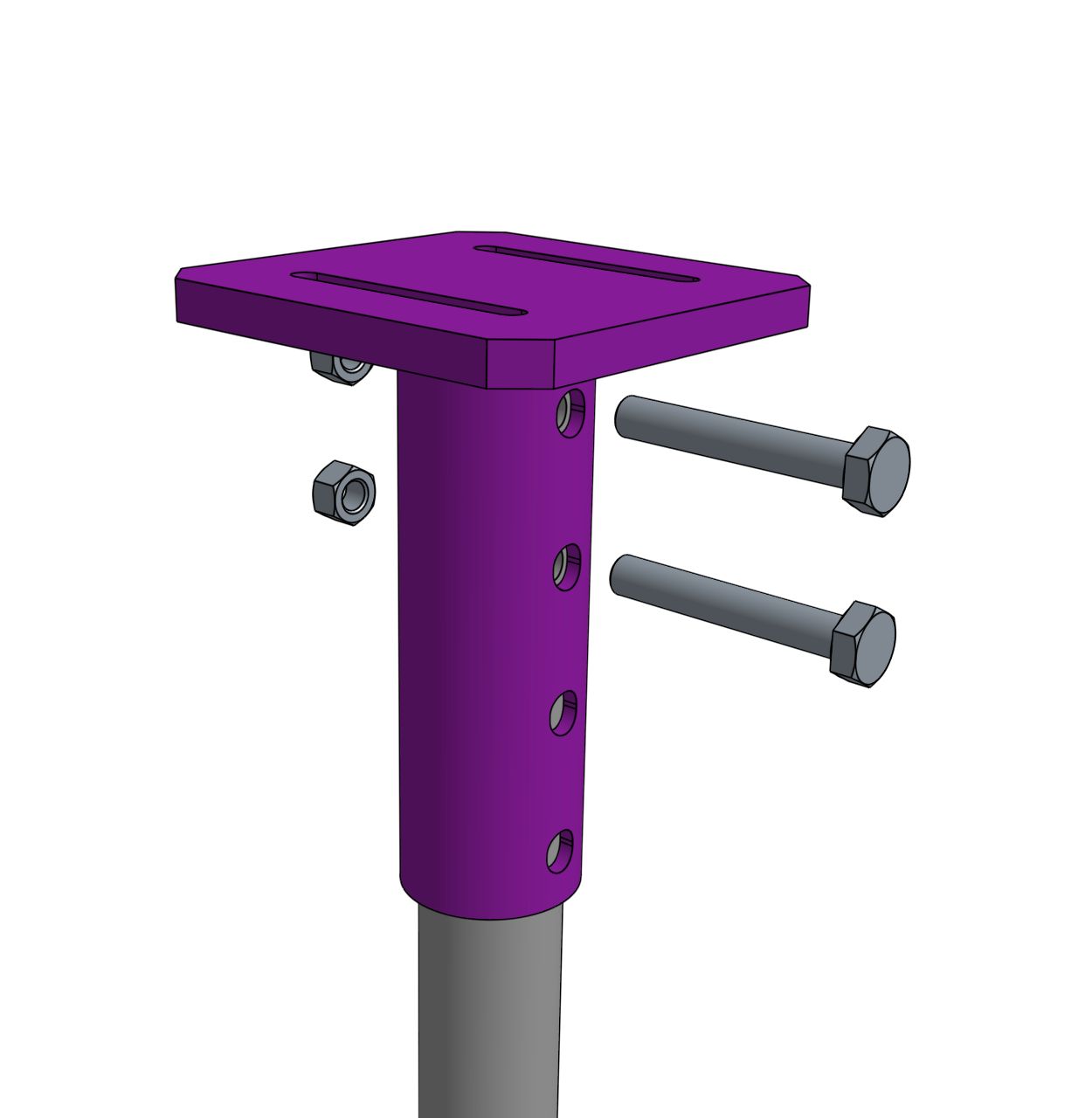
- Correct bracket SKU and fastener set
- Bolts (standard and TC), nuts, and washers match the parts list
- Vapor-barrier self-adhesive pole wrap is staged
- Shims of variable thickness are staged per parts list
03
Client Prerequisite Gate
Mobilize only after the client has confirmed pole, soil, access, ownership, and equipment readiness.
Required Inputs
- Pole circumference
- Not set
- Pole condition
- Not set
- Soil conditions
- Not set
- Rock presence
- Not set
- Utility ownership
- Not set
- Site access
- Not set
- Crew capability
- Not set
- Kelly bar size
- Not set
Readiness Confirmations
- Open Utility locates completed and marked
- Open Trenching scope confirmed with client
- Open Boring report or field soil test available
Inventory Status
0 / 18 confirmed
Target pile installation torque is 6,000-8,000 ft-lb. Bolt torque verification must use a calibrated wrench.
04
Core Install Sequence
Target install window: Not set
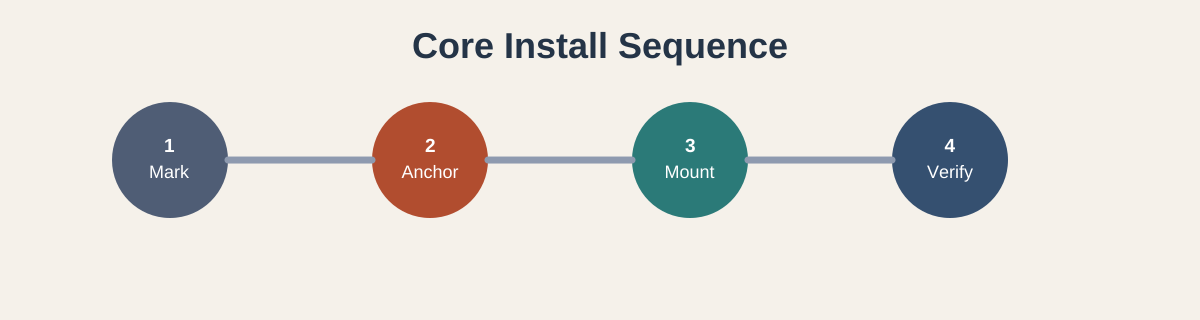
- Prep: Confirm crew, equipment, and materials are ready.
- Mount: Seat PoleGuard unit and lock retention points.
- Mark: Confirm pile drill locations using template.
- Anchor: Drive piles, attach arms, attach pile caps.
- Secure: Bolt sleeves to arms, arms to piles, and piles to pile caps. Use TC bolts where listed.
- Verify: Perform level/alignment and movement check.
No step is complete without a timestamped photo.
05
Quality Gate Before Sign-Off
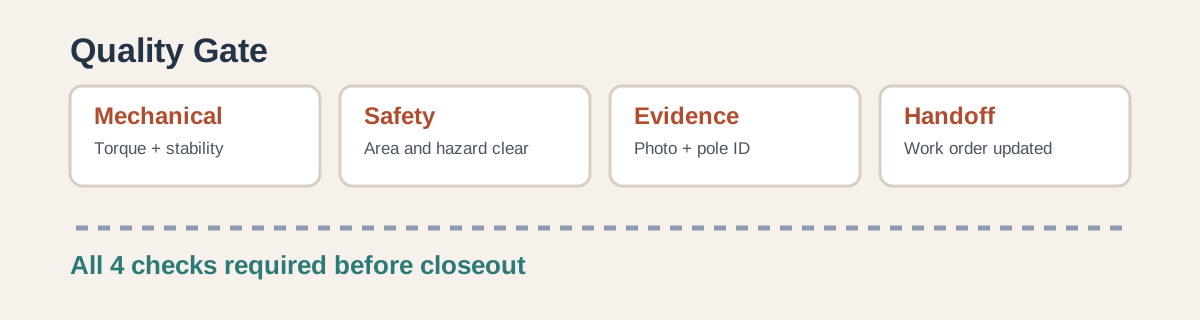
Mechanical
Fasteners seated, torque logged, no bracket drift.
Safety
Area restored, debris removed, hazards cleared.
Evidence
Before/after photos, pole ID, and crew initials recorded.
Handoff
Work order status updated and customer contact notified.
06
Required Equipment
Inventory gate: 0 / 18 confirmed. Confirm all equipment and supplies before Step 1 begins.
🚚
Line Truck With Digger Derrick
Verify Kelly bar diameter is compatible before field operations.
⛏️
Shovels For Trenching
Use for cleanup, edge control, and manual trench corrections.
🧱
Concrete Foam Backfill
Stage required quantity before excavation is complete.
🔩
High-Torque Impact Wrench (5/8" Head)
Use for primary bolt fastening and torque sequence.
🔧
Adjustable Wrench (5/8" Head)
Use for hold-back and final adjustment checks.
🪖
Hard Hats
Required PPE for all crew members inside the active work zone.
🧤
Gloves
Wear for handling hardware, trench materials, and sharp-edge contact points.
🫙
Galvanized Spray
Apply to exposed treated surfaces as needed after drilling or hardware work.
🛡️
Vapor Wrap For Pole
Stage before install so the pole wrap is ready at the protection step.
07
Step 1 - Site Setup
Confirm utility clearance, mark safe perimeter, and stage crew/equipment before excavation.
Video: Site prep and access readiness before install begins.
08
Step 2 - Trench Excavation
Excavate to required depth/radius while preserving pole stability and maintaining a clean edge.
Video: Controlled trenching around the pole foundation zone.
09
Step 3 - Sleeve Rigging
Attach rigging points, lower sleeve steadily, and keep alignment references visible.
Video: Sleeve rigging and placement workflow.
10
Step 4 - Fit and Align
Seat components fully, check clearances, and verify final orientation before securing.
Video: Mid-install fit and alignment check before final fastening.
11
Step 5 - Bolt Sleeves Together
Join and torque sleeve connections in sequence, then verify hardware seating and alignment.
Video: Sleeve bolting process and torque sequence.
12
Step 6 - Mark Pile Locations
Use the marking tool to set exact pile locations before drilling or driving begins.
Video: Pile location marking workflow before pile install.
13
Step 7 - Connect Pile Adapter to Kelly Bar
Attach and secure the pile adapter to the Kelly bar, then verify lock and alignment before driving.
Video: Pile adapter connection to Kelly bar before pile installation.
14
Step 8 - Install Piles
Install piles at marked points to specified depth while maintaining vertical alignment.
Video: Pile installation sequence at marked locations.
15
Step 9 - Attach Pile Cap
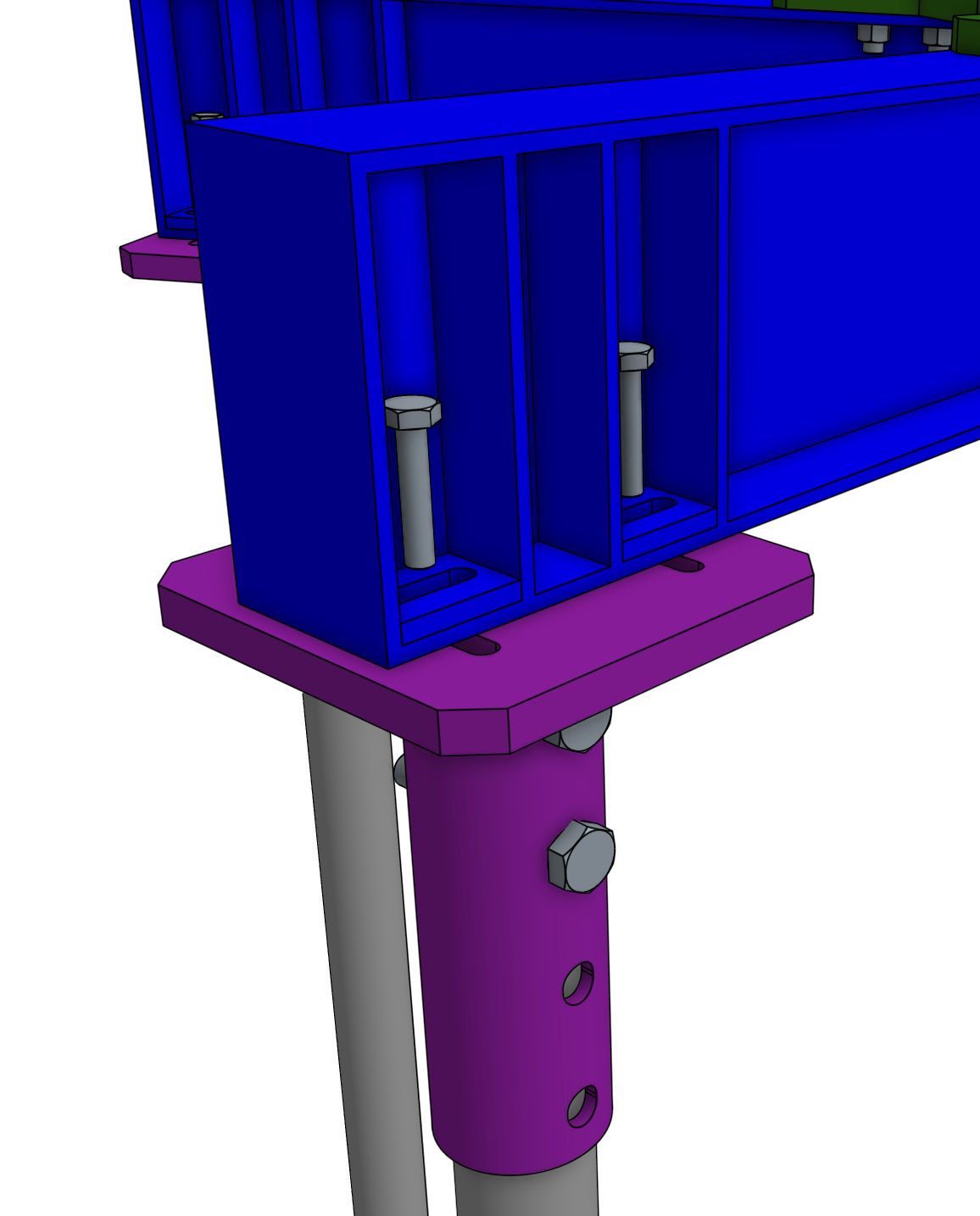
Set the pile cap onto installed piles and secure per hardware specification.
Video and image: Pile cap attachment reference with color detail and key attachment checks.
16
Step 10 - Attach Arms
Position and secure arm members to the assembly, then check orientation and spacing.
Video: Arm attachment workflow.
17
Step 11 - Bolt Arms to Pile Caps
Bolt arm members to pile caps and complete final torque verification across all connection points.
Video and image: Arm-to-pile-cap connection reference with thumbnail detail and key bolt checks.
18
Step 12 - Backfill and Finish
Backfill in controlled lifts, compact, clean area, then capture closeout photos.
Video: Backfill and finalization sequence.
19
Escalation Triggers
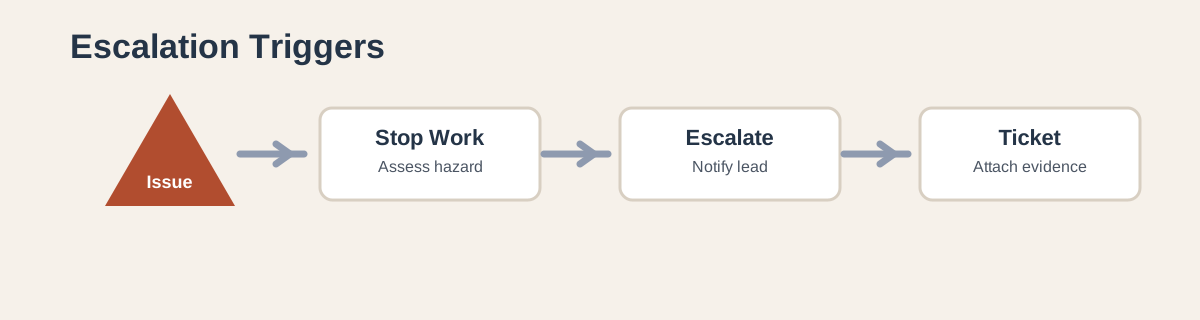
- Abort installation if pole integrity is questionable.
- Escalate if torque spec cannot be reached without material damage.
- Open support ticket for any bracket/pole mismatch.
- Do not close the job while evidence package is incomplete.
20
Completion Standard
A completed install is safe, clean, documented, and verifiable in under two minutes by a remote reviewer.
This site closeout owner: Not set.
Next action for crew leads:
- Run this deck as the day-start briefing
- Use the quality gate as mandatory closeout checklist
- Track rework causes and feed into weekly review